
Buy, approve and pay for things by text.
You already text Ramp your receipts. Now you can ask for what you need, approve it and pay bills the same way. No dashboard, no login.
Explore demo
Join 85,000+ businesses running on Ramp.


From asking to paying, all by text.
Anyone can do their part with one text.
Whoever gets the delivery sends a photo.
On delivery day, Ramp texts the site lead, chef or office manager. They reply with a photo of the slip, and Ramp records what came. No Ramp account needed.
Ramp asks the person who was there.
If a bill doesn't match the photo, Ramp texts whoever signed for it and asks what happened, while they still remember.
Approvers just reply yes.
The price, the budget left and your company's rules in one text. No login, no dashboard.
The same Ramp rules.
Just by text.
Anyone can be a phone number
People who ask, approve or receive only need a phone number. No Ramp account, no app, no training.
Ramp knows when to text
A new request, a delivery date, a bill or a renewal each texts the right person at the right time.
Your rules still apply
Same approvers, limits and policies as the dashboard, and every reply is saved in Ramp.
Card & Expense already works by text.
Now Procure to Pay does too.
Procurement
Ask for things and get them approved by text. The person asking needs no Ramp account.
Accounts Payable
Bills checked against the order and a photo of what arrived. Pay the right amount with one reply.
Vendor Management
A text before each renewal, with what you actually use and what to ask for.
Texts get answered. Dashboards wait.
Your receipts already go to Ramp by text.Now your orders and bills can too.
FAQ
What is Ramp Dock?
Ramp's text messages, extended to buying and paying bills. People ask for things, approve them, confirm deliveries and pay bills by replying to texts instead of logging into the dashboard.
Doesn't Ramp already work over text?
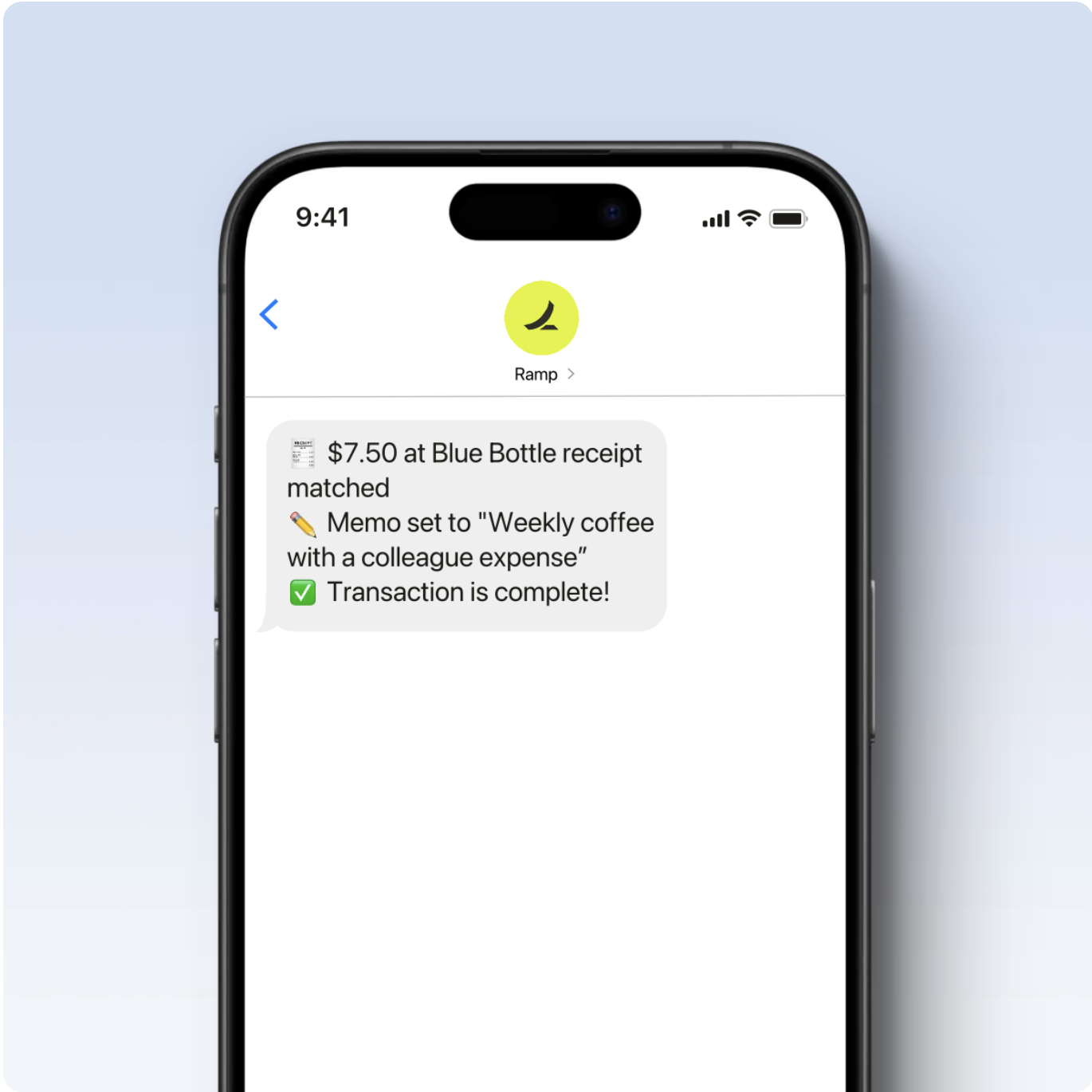
Yes, for Card & Expense: employees text in receipts and Ramp matches them and fills in the memo. Ramp Dock brings that same experience to the other half of Ramp: Procurement, Accounts Payable and Vendor Management.
Who is it for?
Anyone who buys, approves or receives things but isn't in Ramp all day: site leads, chefs, office managers, department heads and busy executives.
Do people need a Ramp account to use it?
People who only ask for things or confirm deliveries just need a phone number. Approvers and payers use the Ramp roles they already have.
Can a text move money?
Only inside your existing Ramp rules. A reply like "yes" or "1" counts as an approval only from someone who already has that permission, and every reply is saved in Ramp.
How does Ramp know who to text?
From what's already in Ramp: who asked for the order, who approves that budget, the delivery date on the order and the renewal date on each contract.
What if a bill doesn't match what arrived?
Ramp holds it, tells the person who pays bills what's different, and offers to pay for what arrived and dispute the rest, with the delivery photo attached.
Does it read handwritten delivery slips?
Yes. Ramp reads the photo, handwriting included, and records the quantities on the order.
Which Ramp products does it use?
Procurement for requests and approvals, Accounts Payable for bills and payments, and Vendor Management for contracts and renewals.
What if someone replies with something unclear?
Ramp asks a short follow-up question. Nothing is approved or paid until the answer is clear.
Is Ramp Dock a real Ramp product?
No. It's a concept built for the Berkeley Business Society × Ramp hackathon. Names, vendors and numbers in the demo are illustrative.